How we organise nettoto wap game categories
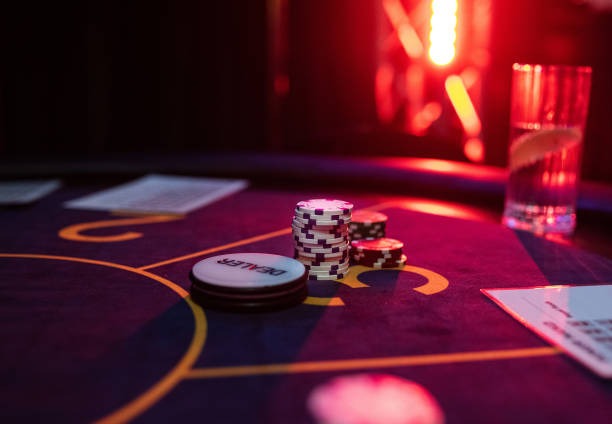
We split the lobby into four primary lanes: live-dealer studios, slot games, sportsbook markets, and esports. A fifth lane covers number games such as Jakarta Lottery and quick-result formats. Each lane has its own filter row, which keeps the phone screen tidy and lets a member jump from baccarat to Most Played slots without resetting the whole interface.
Inside the live-dealer lane we run blackjack, roulette, baccarat, and Dragon Tiger studios. Multi-camera angles show the shoe, the wheel, and the dealer's hands, and the stream auto-adjusts bitrate when our app detects a weaker mobile connection. Members in Jakarta on home Wi-Fi see HD video; a member commuting in Surabaya on cellular data sees a lighter stream that still carries full audio and bet timing.
Live-dealer studios on a small screen
The live lane is the heaviest part of our app, so we built it for phones first. The video panel sits at the top, the bet grid sits below the thumb line, and chat tucks into a side drawer.
If a member loses signal mid-hand, our reconnect logic restores the table view without forfeiting the active bet, provided the round was not already settled.
Slot lane and the nettoto wap mobile flow
Our slot lane covers familiar titles such as Aviator, Sweet Bonanza, Gates of Olympus, Fortune Tiger, Mahjong Ways, and Wild BanditoWe tag each slot with volatility, RTP range as published by the studio, and feature notes (free spins, multipliers, hold-and-spin). The tags help members shortlist titles before opening any individual game, which matters when data is metered.
For low-data sessions we keep a toggle in the app settings that lowers animation density and stops auto-loading background loops on the lobby. During the Idul Fitri travel period we noticed many members switching this on, since hometown connections in Medan or Bandung are not always as steady as a Jakarta fibre line.
Category filters remember your last choice
If you closed the app on a roulette filter, our lobby reopens on roulette next time. The behaviour resets if you log out from another device.
Sportsbook and esports inside our nettoto wap lobby
Sportsbook coverage on our platform leans on football: Liga 1, Piala Indonesia, Piala AFF, Premier League, and Champions League fixtures appear under the same lane, sorted by kickoff time. MotoGP and badminton sit beside football for cross-sport browsing. The esports lane lists Mobile Legends, Free Fire, and PUBG Mobile — including the PUBG Mobile Pro League bracket — and combat formats such as MMA stay in their own sub-lane.
We do not display fabricated odds or pre-loaded fixtures in this guide. Markets refresh from the data feed at the moment a member opens the page, and any market may close earlier than its scheduled kickoff if the feed pulls it.
Payments mapped to each category
Every category accepts the same deposit rails, so members do not need to switch wallets between live tables and the sportsbook. We accept e-wallet, mobile banking, local payment, online payment, e-wallet, and mobile banking from the e-wallet side, plus local payment, online payment, e-wallet, and mobile banking through bank transfer or Virtual Account.
- E-wallet first deposit: local payment, online payment, e-wallet, mobile banking, local payment are routed via online payment for members already using the relevant app.
- Bank transfer: e-wallet, mobile banking, local payment, online payment accept manual transfer or our Virtual Account flow with a unique reference number.
- Withdrawals: processed back to the original rail, subject to verification windows on each bank.
- Holiday windows: processing on Imlek, Nyepi, and Idul Adha may follow national bank schedules.
-
1
Pick a category laneStep 1
Open the lobby and tap live, slots, sport, or esports. Filters carry across sessions.
-
2
Check rules and limitsStep 2
Each game card shows minimum stake, payout rules, and feature notes before you join.
-
3
Top up if neededStep 3
Use Virtual Account or e-wallet from inside the same screen — the lobby keeps your filter state.